Mobile vs. Desktop Apps: Carrier’s Guide to CoyoteGO
Beginning on May 1, 2025, all Coyote and RXO loads will be in one centralized load board – RXO Connect. RXO Connect and RXO Drive, our mobile app, will be the only way to access the load board, book freight and manage your account. Learn more about this transition.
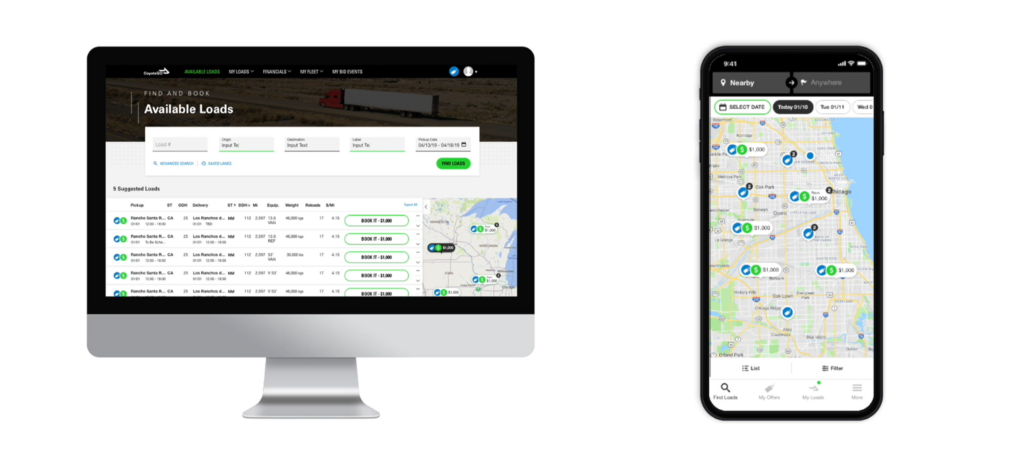
Whether you are sitting at a desk with dual monitors, checking trailers in the yard with a tablet, or sitting in the cab with your smartphone, CoyoteGO® for North American carriers is built to give you a simple user experience.
No matter what device you are using, you can easily:
The CoyoteGO mobile app has almost the exact same functionality as the desktop version, only the experience is designed specifically for your smartphone.
Differences Between CoyoteGO Desktop and the CoyoteGO Mobile App
Though the functionality is almost the same, there are few small differences:
- To properly use CoyoteGO on your mobile device, you will need to download the CoyoteGO app in the App Store or in Google Play. Though you can access CoyoteGO with a web browser on your mobile device, we strongly recommend you download the app for a user-friendly experience. Desktop users do not need to download anything.
- The CoyoteGO mobile app will prompt users to select “enable location” upon logging in. You will not be able to search and book loads unless you enable your device’s location.
Frequently Asked Questions: CoyoteGO Desktop vs. Mobile App
Q: Do I need a separate login or account for the CoyoteGO desktop version and mobile app?
No, you will use the same CoyoteGO account for desktop and mobile app.
Q: Can dispatchers use the CoyoteGO mobile app?
Yes, the CoyoteGO mobile app has 5 separate user settings: driver, dispatcher, driver-dispatcher, owner-operator and admin.
Q: If my driver uses the CoyoteGO mobile app, does that mean they can view and book loads?
It depends on their setting. Users with the driver setting cannot view available loads, rates or book loads. If your driver has a driver-dispatcher or owner-operator setting, then yes, they can.
Q: If my driver is using the CoyoteGO mobile app for tracking, can I see their activity from the desktop version?
Yes. CoyoteGO accounts are given at the carrier level. Every user at your company is under the same account, and all activity in the CoyoteGO platform is synced in real-time.
Already have an account? Sign in
Continue Learning about CoyoteGO
-
- Chapter 1: Signing Up for the Load Board
- Chapter 2: Mobile vs. Desktop Apps
- Chapter 3: Managing Your Fleet
- Chapter 4: Finding & Booking Available Loads
- Chapter 5: Managing Your Active Loads