Beyond the Basics – Mastering RXO Connect® for Total Trucking Control
Streamline your operations, boost your bottom line, and maximize your earnings with RXO Connect.
Dominate Your Freight: Your Ultimate Guide to the RXO Connect Load Board
RXO Connect isn’t just a load board; it’s your command center for complete business control. We’ll show you how to leverage its advanced features to find the best opportunities, proactively plan your routes, track your performance, manage your drivers and equipment, and make data-driven decisions to boost your bottom line.
Personalized RXO Connect Experience
Start with Your Dashboard
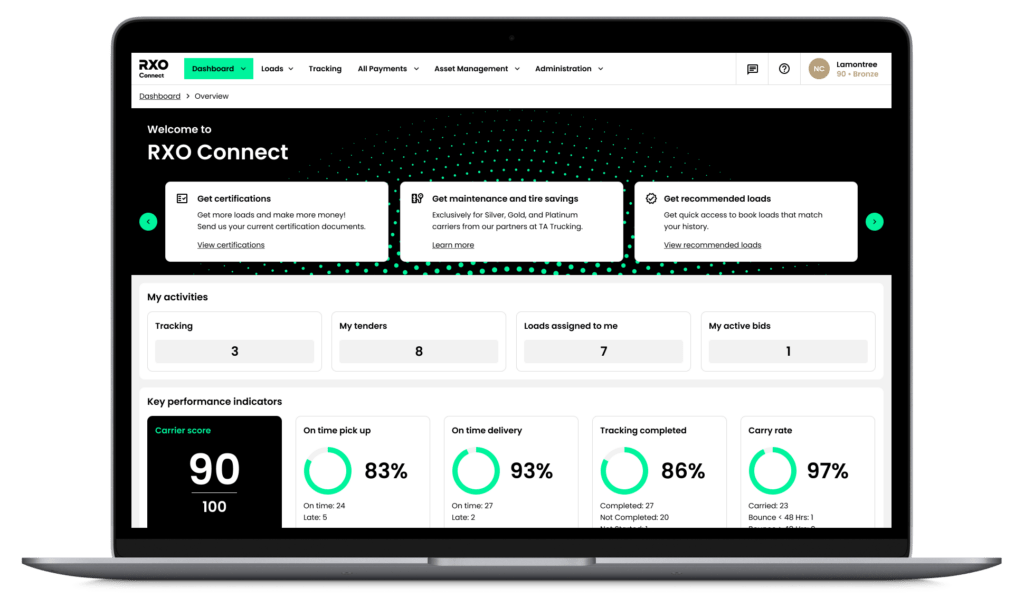
Your dashboard is your personalized homepage, providing a snapshot of your key performance indicators and quick access to essential tools. Your dashboard provides a quick overview of the following:
- My activities: Quickly access your tracked loads, tenders, and active bids.
- Key performance indicators: On time pick up %, on time delivery %, tracking completion %, carry rate %, and your cumulative Carrier score.
- Plan your next move: Find loads that make sense based on where you are delivering right now.
- Live load board map: Interactive cumulative nationwide load board map
The Load Board & Setting Your Preferences
The Load Board
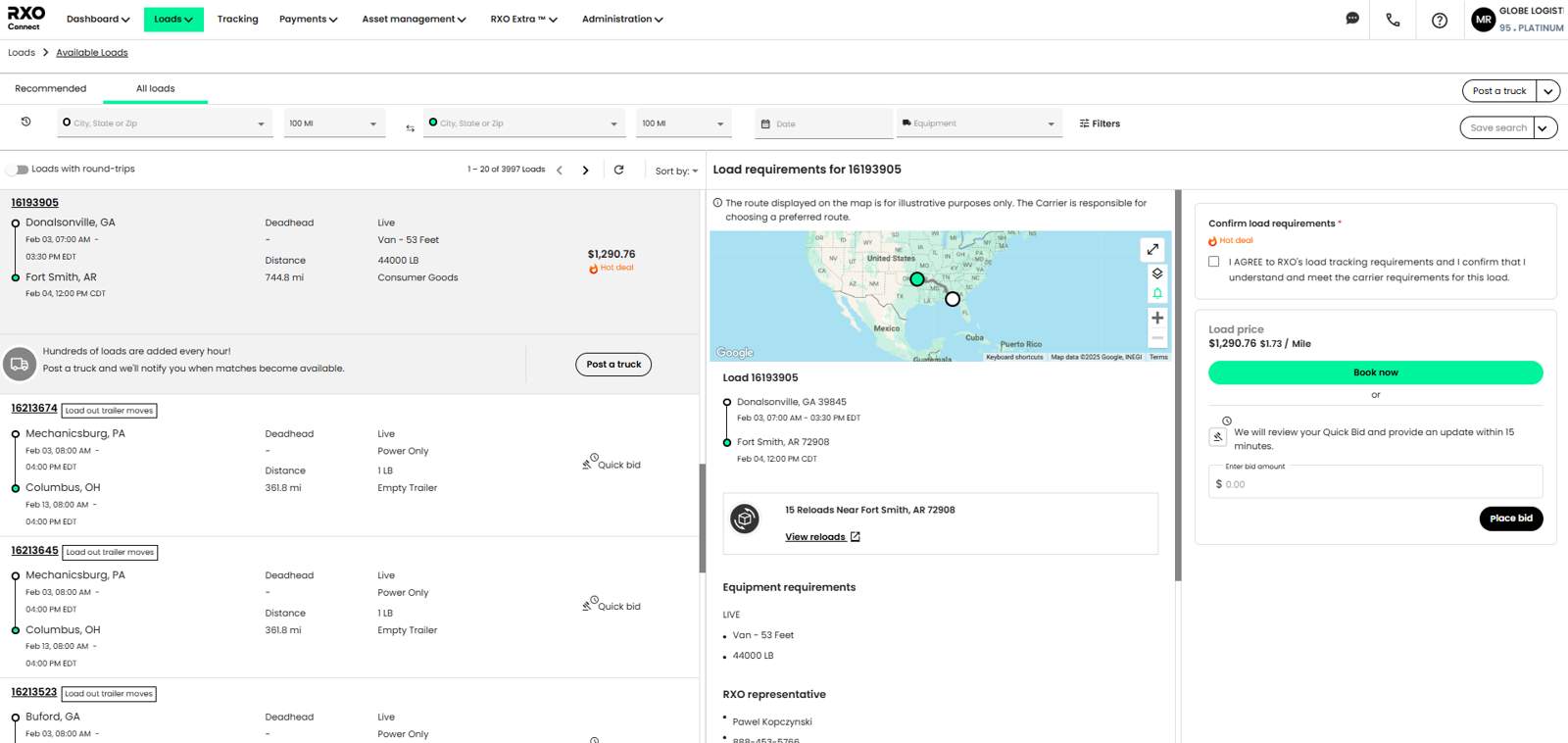
Finding the loads you want where you want them is simple on RXO Connect. It all starts with searching and filtering for the right loads – Narrow your search to a specific origin, destination, trip length, rate per mile, equipment, weight, and more!
- Available loads Board: This page features all loads on the board, as well as a recommended tab for the most relevant loads to you.
- Post a truck: Looking for a load in a specific location? Show your truck as available to reps looking to cover loads and get alerted when the loads become available.
- Hot deals: Find time-sensitive opportunities that offer enhanced rates, putting more money in your pocket.
- Dedicated Lanes Board: Bid on priority assignments for preferred freight lanes, allowing for secure and easy planning of load schedules.
Managing Your Loads
Essential Tabs for Streamlined Load Management
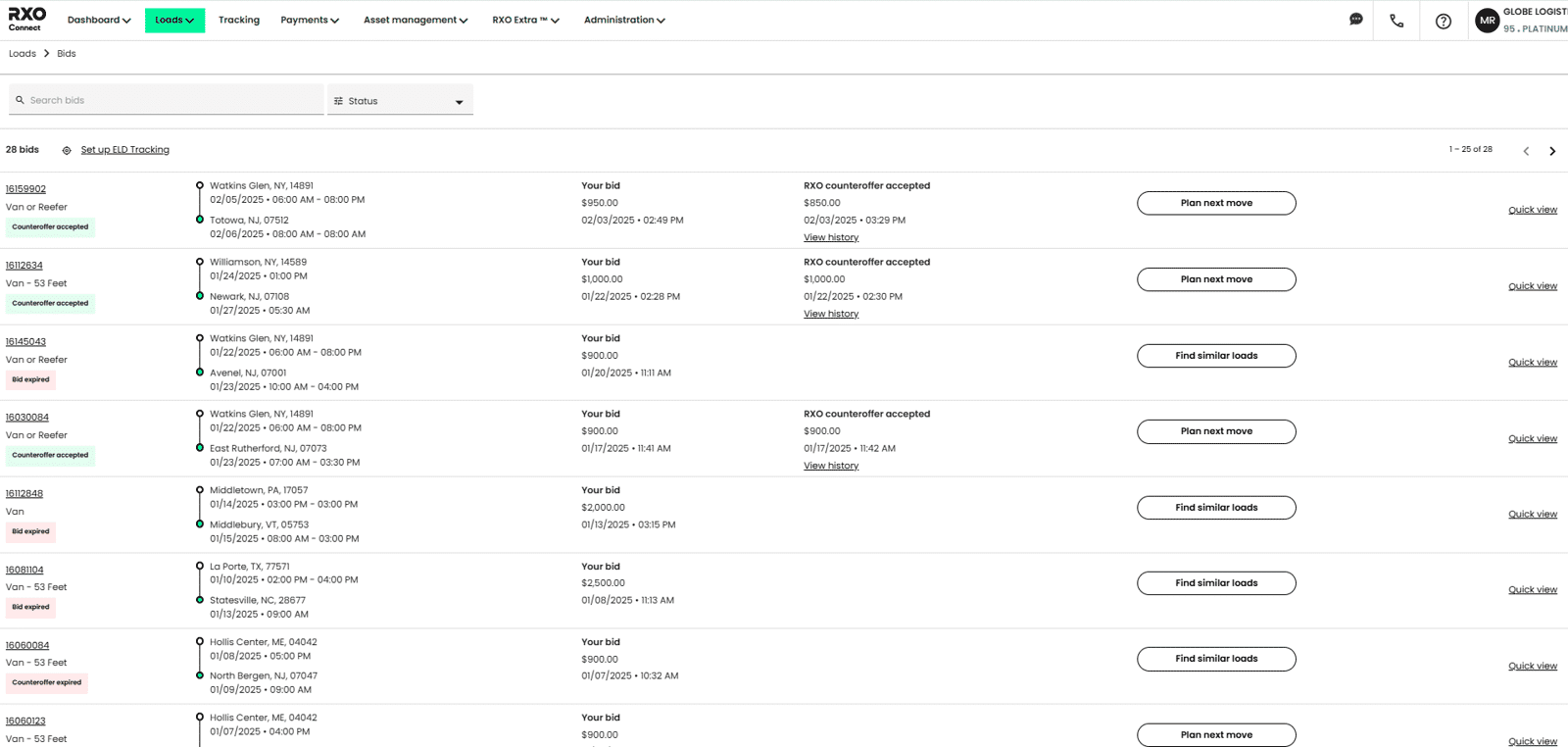
- Bids Page: Take advantage of both ‘Bid’ and ‘Buy’ options for loads, giving you the flexibility to negotiate or secure freight immediately.
- Automated Negotiation: Enjoy automated counteroffer negotiation, streamlining the bidding process and helping you reach a fair rate quickly.
- Auction-Like Bidding: For ‘Bid Only’ loads, participate in auction-like negotiations to compete for the best opportunities.
- Tenders: The Tenders tab shows any loads we have sent that are ready to be accepted or rejected.
- My Loads: All of the loads currently assigned to your carrier code.
- Add dispatchers and alert drivers of new loads
- View and sign rate confirmations
- The Payments tab: Offers visibility to all invoices and their status.
Managing your Business From Anywhere
Asset Management
Manage your drivers and equipment for efficient dispatch. Add/edit drivers, add/edit equipment, assign drivers/equipment to loads.
Administration
Manage your account settings, users, and other administrative functions like rewards and support.
Tracking
- Real-time GPS consistent tracking throughout the entire load lifecycle
- Tracking reminders to keep drivers on course for compliance
- Tracking-only access for the company drivers that have no access to the rate details
Still have questions? We’re here to help.
Reach out to your RXO representative or call 877-626-9683. We will be sure to answer any questions related to the transition from CoyoteGO to RXO Connect and RXO Drive.
If you’re looking to learn more about RXO Connect and RXO Drive, we’ve built guides for you so you can start streamlining your operations and maximize your earnings.