Carrier Payment Options:
How to Get Paid with RXO
Not every carrier has the same cash flow needs.Get paid in the way that best fits your business.
With RXO, you can choose between three convenient payment options.
You can also access additional financial services in the RXO Extra Carrier Marketplace, including factoring and LoadPay.
On this page, you’ll find everything you need to decide what’s right for you.
RXO payment options:
Standard Pay | Quick Pay | Advance Pay
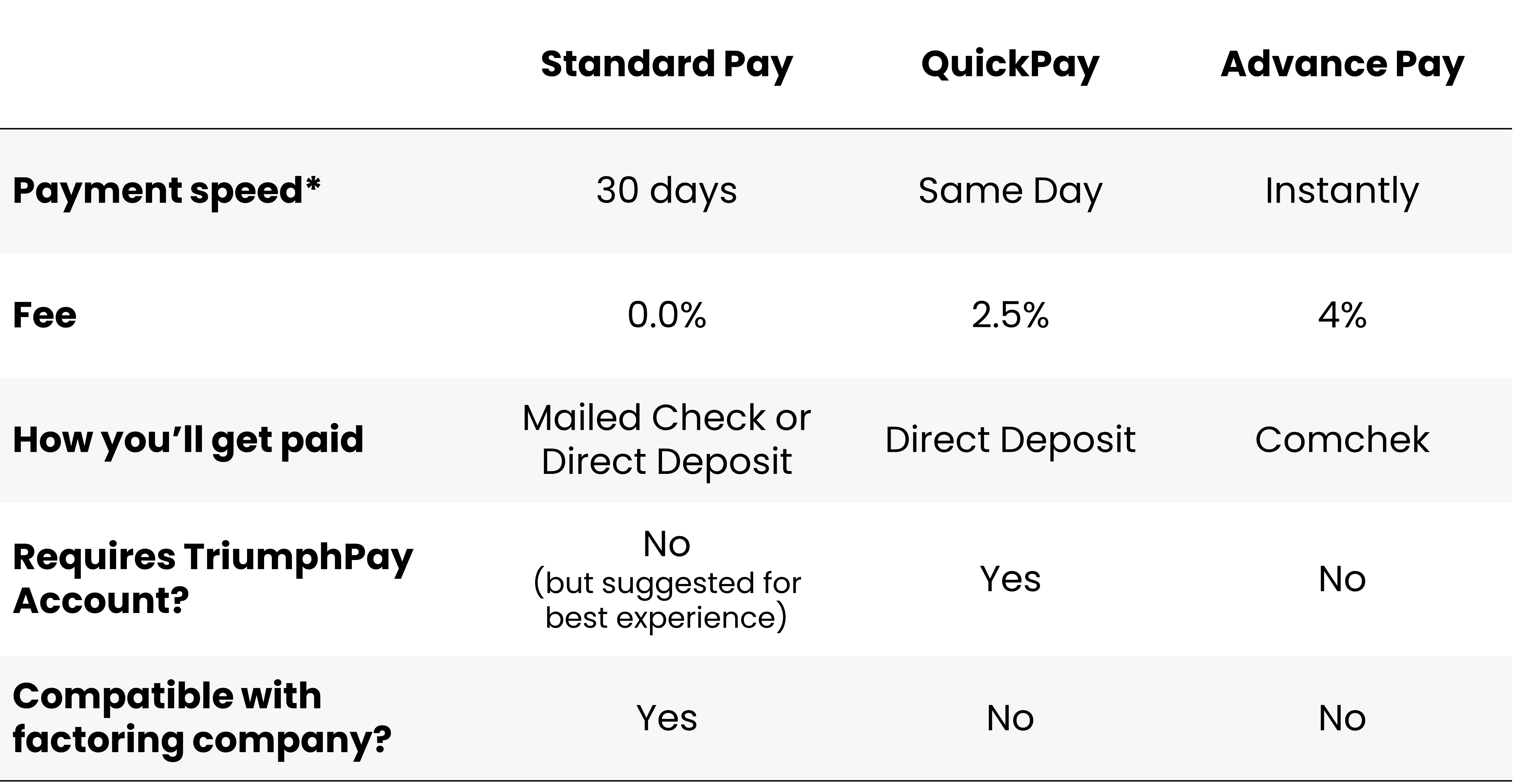
RXO Payment Options Overview
When you haul freight with RXO, there are three ways to get paid: Standard Pay, QuickPay and Advance Pay.
You can find more detailed information about each method in the sections below, but this table gives you an overview to quickly compare your options. You can also see even more information in the FAQ section.
*Payment speed begins after you submit your completed paperwork to RXO. Note that Advance Pay is only available during staffed hours (M-F, 06:00-21:00 ET).
RXO Standard Pay
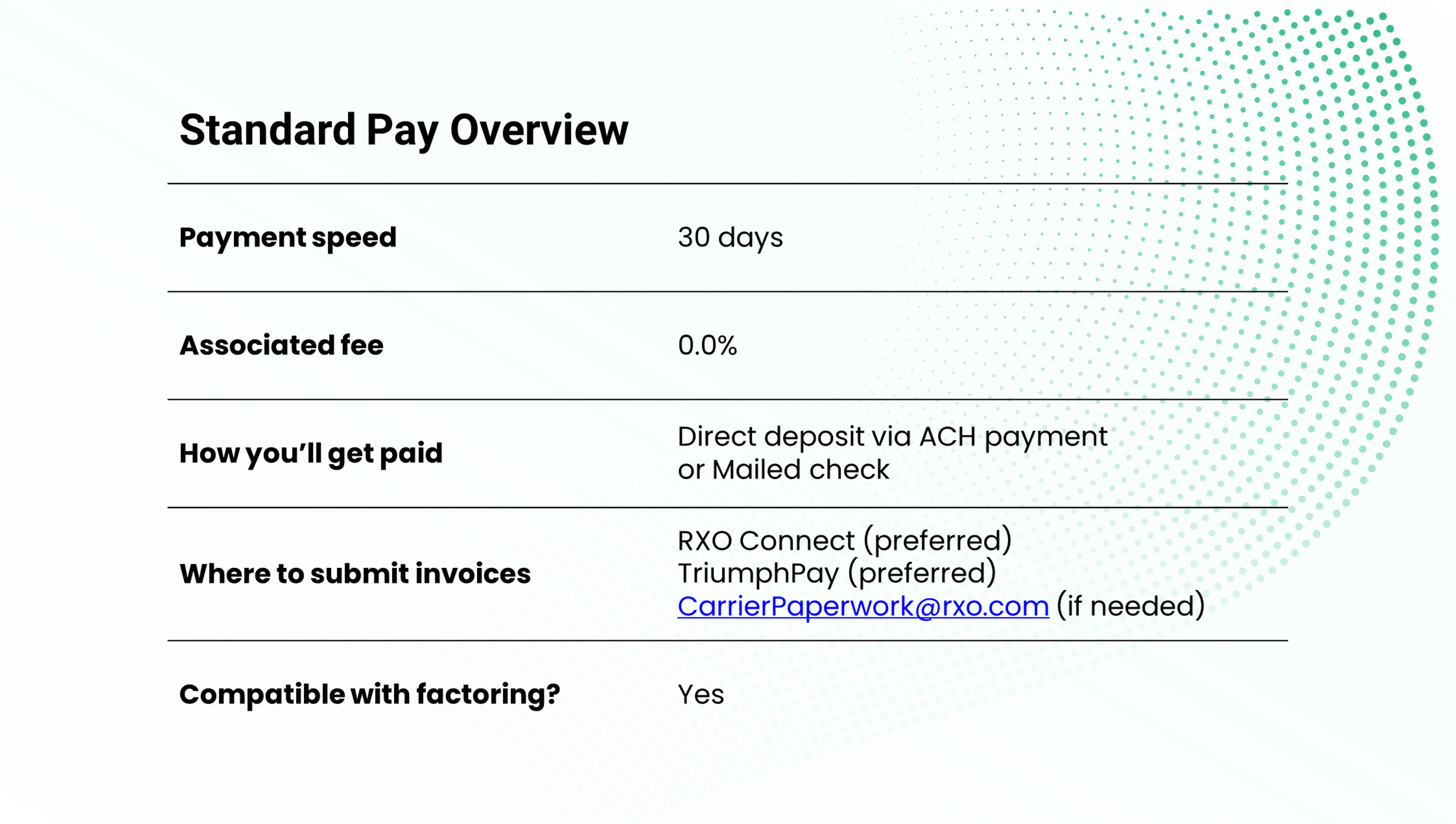
Standard Pay is the default carrier payment option — this is how we will pay you unless you opt for another payment option.
There are no fees associated with Standard Pay, and we will pay you 30 days from the date you submit your completed invoice.
Standard pay is ideal for carriers who want to avoid fees, have stable cash flow and can wait a little longer to get paid. This is also the only option for carriers who work with a factoring company.
Note that we work with TriumphPay to process carrier payments. While you do not need to enroll in TriumphPay to get paid on an RXO shipment, it is highly recommended for an ideal experience and necessary for full functionality (i.e., setting up a direct deposit to your bank).
Setting up TriumphPay is fast, free and easy — learn more about TriumphPay here.
RXO QuickPay
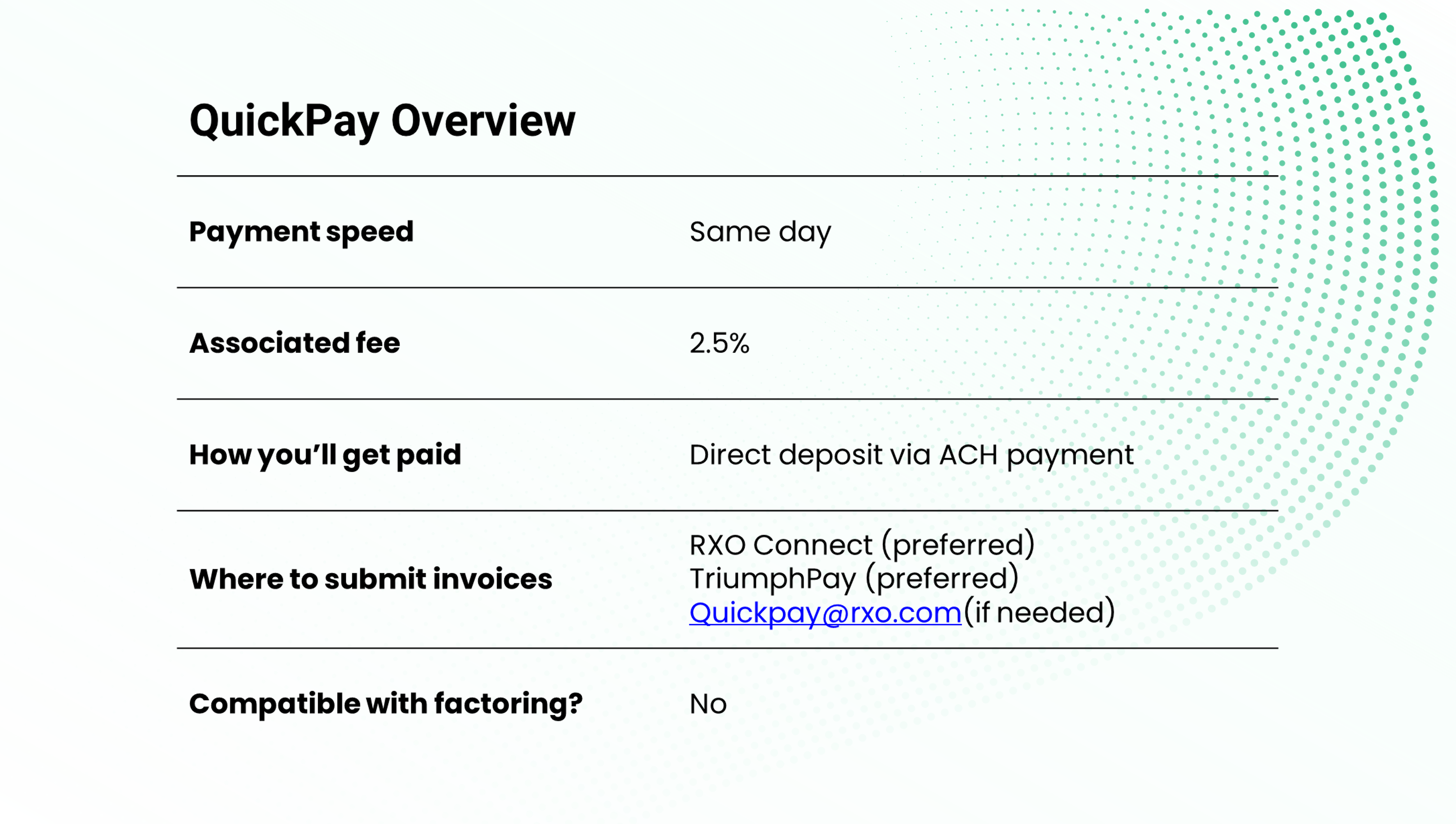
QuickPay is a great option for carriers who want more control over their cash flow through faster payments.
For a 2.5% fee per transaction, RXO will pay you on the same day (note that we will initiate payment on the day we receive completed paperwork, but it may take an additional day for the bank transfer to deposit into your account).
Once you enroll in QuickPay, you can use it as much (or as little) as you want, whether you want to set QuickPay as your default method or choose it for individual invoices.
To access QuickPay with RXO, you will need a TriumphPay account. Setting up TriumphPay is fast, free and easy — learn more about TriumphPay.
RXO Advance Pay
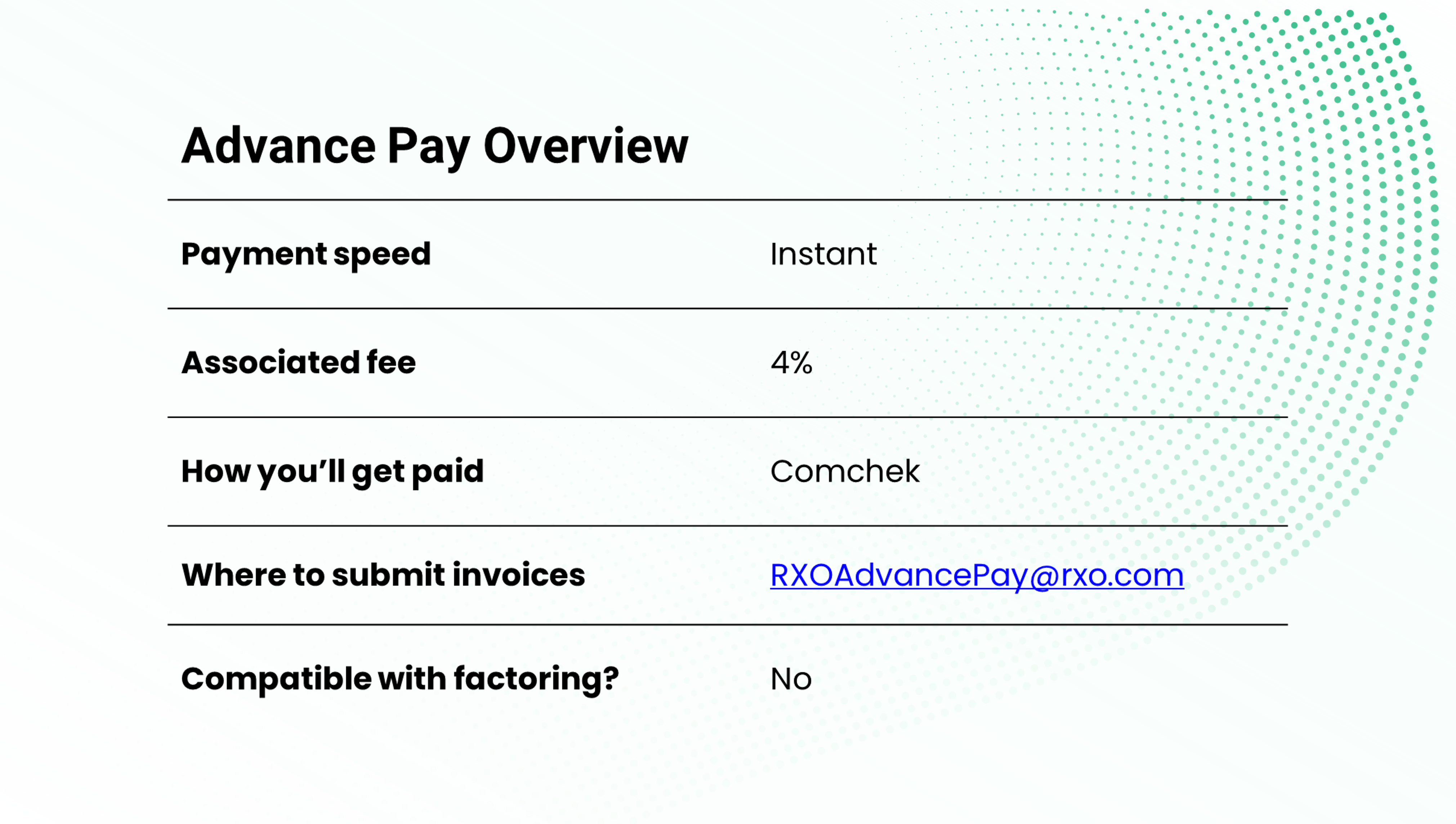
Advance Pay is the best option for carriers that want to get paid instantly without waiting for a bank transfer to clear.
For a 4% fee per transaction, RXO will pay you via Comchek within one hour from the time you submit your completed paperwork*.
You can cash the Comchek immediately, 24/7/365, at all major fuel stops, or fill out a Comchek draft to deposit into a bank account.
To be eligible to receive RXO Advance Pay, you will first need to fill out the Advance Pay form, which you can request from RXOAdvancePay@rxo.com.
Once you have been approved, you will need to request Advance Pay on a load-by-load basis from RXOAdvancePay@rxo.com.
*Advance Pay services are only available
during staffed hours (M-F, 06:00-21:00 ET).
Completed paperwork includes the driver’s
signed proof of delivery and an invoice for the
amount we owe you.
Carrier Financial Services </br> From RXO Extra
In addition to offering the three convenient payment options outlined above, RXO offers financial services to help keep your fleet’s cash flow running smooth through RXO Extra, our carrier marketplace.
RXO Extra Factoring
Looking for a factoring company to help make managing your finances easier? RXO has you covered.
Run credit checks before you haul, create invoices automatically, get paid within minutes after completing loads, access billing and collections support, and manage all your payments on a simple platform.